
The ADMR network employs several tens of thousands of employees across France. To coordinate home interventions, the entire network relies on Philia, an internal web portal dedicated to managing schedules and tracking services. New recruits discover this tool from their first days, often without in-depth training, and must quickly navigate it to fulfill their missions.
Continuous update of the Philia schedule: what it changes on a daily basis
Several ADMR associations have abandoned the weekly paper scheduling system in favor of a continuous update directly in Philia. Cancellation of an intervention, last-minute replacement, time shift: each modification is entered in real-time by the sector manager and appears immediately on the intervenor’s screen.
For a new recruit, this continuous flow logic imposes a precise habit: checking their schedule at the beginning of the day is no longer sufficient. A verification before each trip becomes the reflex to establish from the first week. Without this, the risk is to show up at a beneficiary’s home for an intervention that has been postponed, or to miss a last-minute addition.
Specifically, a guide for sector managers recommends that teams set up Philia notifications to receive an alert for every scheduling change that concerns them. For those who wish to use the ADMR Philia schedule effectively from the start, this setup step is the first not to be overlooked.

Access rights and confidentiality in Philia ADMR
A point rarely addressed in general tutorials concerns the detailed configuration of access rights to the schedule. Each employee does not see the same thing in Philia. A home intervenor accesses their own schedule and the files of the beneficiaries assigned to them, but not the schedules of their colleagues or the overall administrative data of the association.
This compartmentalization is not trivial. It meets confidentiality obligations related to the personal data of beneficiaries (health status, level of autonomy, contact details). The management of timekeeping corrections and the traceability of exchanges in Philia are among the points that sector managers are increasingly vigilant about.
What this implies for a new intervenor
Upon starting their position, Philia identifiers are assigned by the local association, not by the employee themselves. The initial password is temporary and must be changed at the first login. If access is denied or if certain beneficiary files do not appear, it is generally a problem of rights not yet activated by the manager, and not a technical bug.
- Check that the sector manager has activated access rights to the assigned beneficiaries, or risk seeing an empty schedule upon login.
- Never share your identifiers with a colleague, even in case of urgent replacement: every scheduling change is traced and timestamped by user account.
- Immediately report any inconsistency between the displayed schedule and the instructions received by phone, as the Philia history is authoritative in case of disputes over hours.
Philia ADMR on smartphone: technical limits to know
The Philia portal is accessible via a web browser, including on mobile phones. However, it is not a native application downloadable from a store. Consultation is done through the smartphone’s browser, which leads to some practical constraints that new recruits often discover in the field.
The display on a small screen is not always suitable, especially for weekly schedule tables. Some associations recommend using the phone’s landscape mode for better readability. Field feedback varies on the fluidity of navigation depending on phone models and the quality of internet connection in rural areas, where many ADMR employees work.
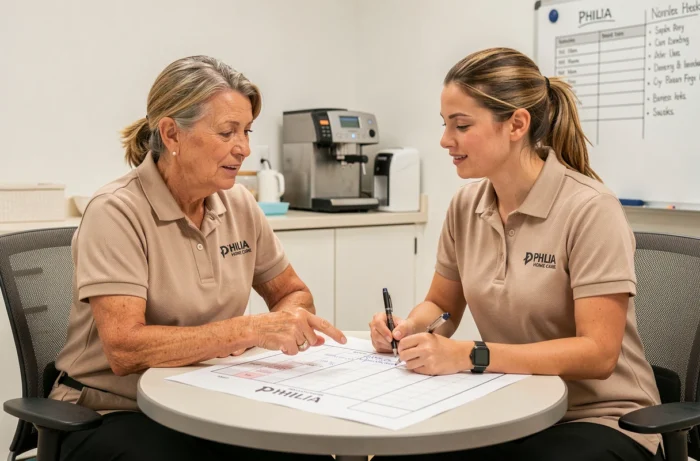
Offline operation
Philia does not offer an offline mode. If the internet connection is absent (dead zone, network failure), the schedule cannot be consulted. The common practice is to take a screenshot of the schedule at the beginning of the day, keeping in mind that any subsequent modifications will only be visible once the connection is restored.
This technical limitation is rarely mentioned during onboarding. However, it deserves to be anticipated, especially for intervenors covering areas in Auvergne-Rhône-Alpes or other regions where network coverage remains uneven.
Intervention hours and timekeeping in Philia ADMR
Tracking hours is another central function of Philia for an intervenor. Each intervention is recorded with its timings, and timekeeping corrections must go through the sector manager. An employee cannot modify a validated arrival or departure time themselves.
This two-level validation system (entry by the intervenor, correction by the manager) sometimes generates discrepancies between the hours actually worked and those displayed in Philia. New recruits should independently note their actual hours during the first weeks, while they master the timekeeping process.
- Enter your hours on the same day as the intervention to avoid forgetfulness and approximations at the end of the week.
- In case of a discrepancy between the planned schedule and the actual intervention (beneficiary absent, prolonged intervention), inform the sector manager before validating the timekeeping.
- Regularly check the monthly summary of hours in Philia to detect any errors before the payroll is issued.
The Philia ADMR schedule is not a complex tool in itself, but its operation relies on precise reflexes: frequent consultation, setting up notifications, and rigor in timekeeping. The first weeks of use are when these habits are formed, and when most avoidable errors occur.