
The PIA (Interactive Agent Portal) of the Grenoble academy is no longer just a simple entry point to business applications. Since its upgrade to Convergence, it centralizes all statutory procedures for administrative agents, from submitting part-time requests to tracking promotion campaigns. Understanding its functional architecture avoids unnecessary back-and-forth with the DPA and local HR services.
PIA Grenoble Authentication: The End of Personal Identifiers
The most significant change for administrative agents concerns the connection rules. Only the academic email address ([email protected]) is now accepted as an identifier on PIA and Arena. Private email addresses, which were long tolerated, no longer work.
This restriction is part of the unification of CAS authentication at the academic level. For a newly appointed administrative agent, this means that registration in the DPA databases conditions everything else: without an active academic identifier, there is no access to the portal or the associated applications.
Two connection modes coexist. The classic password (NUMEN by default, changeable) remains accessible to all profiles. The connection via OTP (a four-digit PIN combined with a six-digit key code generated by a dedicated device) is reserved for directors and certain profiles with extended rights. An administrative agent in DSDEN or in an establishment will therefore use the first method in the vast majority of cases.
In case of loss of access, the service portal assistance.ac-grenoble.fr is the priority channel. A dedicated form exists for agents who cannot authenticate at all, which avoids having to contact the IT service by phone.
PIA Convergence and Statutory HR Procedures for Administrative Agents
We recommend considering PIA Convergence as a one-stop HR shop rather than just a simple application aggregator. For administrative staff, the portal provides access to specific annual campaigns that must be followed according to a strict calendar.
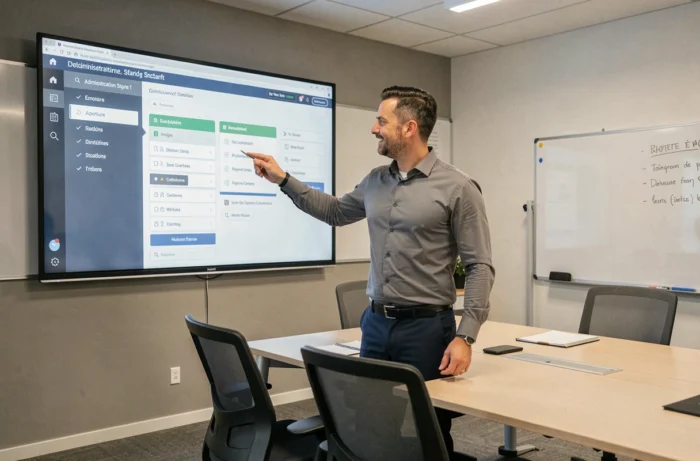
The accessible procedures include:
- Requests for availability and reintegration, with limited submission windows and tracking of the instruction directly in the portal
- Requests for part-time work (by right or by authorization), with dematerialized forms replacing the old PDF documents to be sent by internal mail
- Tracking of promotions (advancement tables, eligibility lists), with consultation of results and possibly submitting administrative appeals online
- Management of absence authorizations and specific leaves, integrated into the hierarchical validation workflow
The transition to this centralized model implies that each HR campaign has a fixed opening and closing date. Missing the submission window on PIA means having to wait for the next cycle, sometimes a year later. The guides published by the academy detail this calendar, and an in-depth description of the PIA services of the Grenoble academy helps identify the most commonly used functions by administrative agents on a daily basis.
Access Rights Management for Applications via GLACON
Access rights to applications are not automatically assigned upon the creation of the agent’s account. This is a point that public guides overlook, yet it generates most of the support tickets at the beginning of the job.
The GLACON application (Software Management of Access to Applications), accessible from the academic intranet, is used to formalize access requests. The agent’s N+1 must initiate the procedure by specifying the applications necessary for the position held. Without this step, an administrative agent assigned to DSDEN may find themselves with functional PIA access but no visible business applications in their portal.
The request covers both financial management software and tools for tracking students or internal documentation databases. For interns and external staff (contractors, agents from other administrations), the process is even more regulated: the assignment of an academic identifier is not automatic and requires a specific assistance request from the hosting service.
Differences Between PIA and Arena for Administrative Staff
Arena, the historical portal of the Grenoble academy, remains accessible at extranet.ac-grenoble.fr. However, its development has been halted. The two portals coexist, but PIA is gradually replacing Arena for all active applications.
For an administrative agent, the operational distinction boils down to this: some old applications have not yet migrated to PIA and remain available only via Arena. We observe that this transition period creates confusion, especially during the first weeks of starting a job. The reflex to adopt is simple: always start with PIA, and switch to Arena only if the desired application does not appear in the personalized catalog.

The application catalog displayed in PIA varies depending on the agent’s profile (administrative assistant, executive secretary, service manager). This personalization directly depends on the rights configured in GLACON. A poorly configured profile will display an almost empty portal, which does not mean that the applications do not exist, but that the permissions have not been requested.
IT Equipment and Access Badge in DSDEN
Access to PIA requires a properly configured workstation. The request for a computer, network session, and phone goes through the assistance portal, specifying the desired arrival date. The access badge for the premises and printing is handled by the cabinet, via the hosting service.
These material procedures are distinct from application procedures. An agent may have their badge and workstation without yet having their PIA access if the DPA registration is not finalized. Anticipating registration in the administrative databases remains the priority to shorten the time between taking office and actual access to work tools.
Any request for non-IT equipment or office adjustments goes through a separate channel (DIL service), which avoids cluttering the assistance portal with requests outside the IT perimeter.